Overwriting Data
You can use the Overwrite option in the Dataset operations box to overwrite values that correspond to labeled voxels within a region of interest in a selected dataset. You can perform this operation if you need to permanently remove unwanted markings, artefacts, or objects from an image.
 How to Overwrite Data Values
- Select the required region of interest in the Data Properties and Settings panel.
- Select the dataset that you need to modify in the Dataset operations box in the ROI Tools panel.
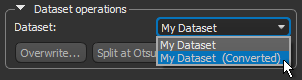
- Click the Overwrite button.
The Set Value dialog appears.
- Select the intensity value that will be applied to all voxels of the selected dataset within the region of interest.
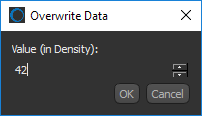
- Click OK to apply the change.
The dataset values that correspond to the labeled voxels of the selected region of interest are overwritten
See Exporting Images for information about saving modified datasets.